7 Life-Changing Features You Will Love in Our New App
03.14.2019 | Blog
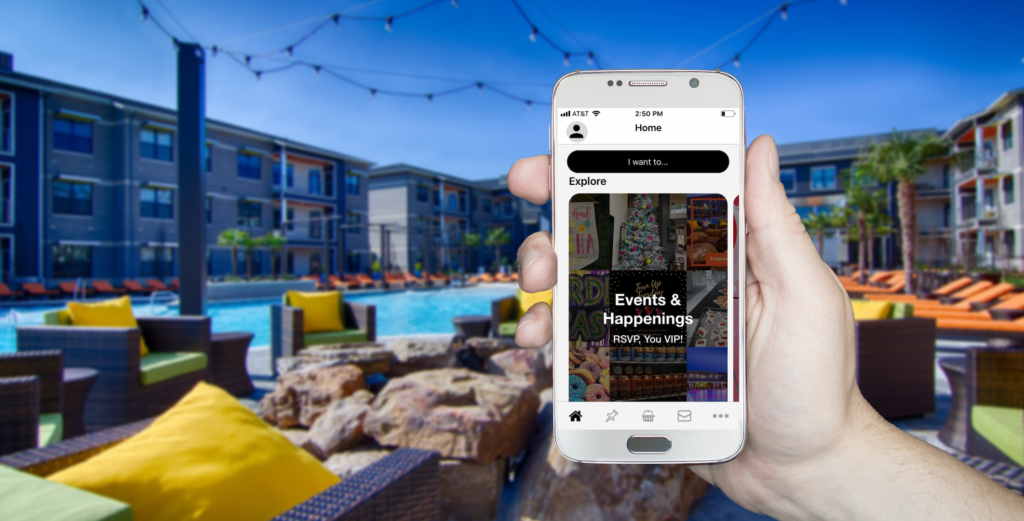
This blog post was updated on November 22, 2021, to reflect new features offered by the ActiveBuilding app.
As if life at Bowman Pointe couldn’t get any better, we now have a new resident app that is going to make it even more awesome. From service requests to amenity reservations, there is so much to be blown away by in the ActiveBuilding app.
We are so excited to show you everything you can now do in the app, but there are seven life-changing features we think you will love the most. Here’s a peek into each one, along with details on how to find them and use them. Prepare to be wowed!
#1: Direct Messages
Say goodbye to texts and emails. We’re going to be sliding into your DMs from now on!
Once you download the ActiveBuilding app, all your messages will go into a centralized inbox just like they do on Facebook, Instagram, and Twitter.
Every time we send you a new message about upcoming events, maintenance updates, community news, etc., you will receive an email and/or text (you decide while activating your account) to alert you. ust open the app to see your message!
If you have a question for us, you can also open your app and send us a direct message or reply to a message we sent you. We will get a notification on our end and respond back to you as soon as possible.
#2: Package Notifications
With the ActiveBuilding app also comes a new system for logging packages.
Just like with the previous system, we will scan your packages as they are delivered to the front office. The software will associate that package with your account, and send you a message saying you have a new package to pick up.
You will then see a running log of your packages on the My Packages section of the app. It will even send you reminders until you pick up your package!
#3: Service Requests
Now, this is huge. The ActiveBuilding app is about to make service requests so simple and easy! Here’s how it works….
First, open the menu on the app and tap on the Service Requests tab. Then, to start a new request, you tap on the + button.
A form will open, prompting you to leave details on what you need fixed. The kicker is you can even take a picture or video of your issue and attach it to your request!
Hit Submit and your request will go straight to our team. Life-changing, right?
#4: Amenity Reservations
With the advent of this app, we are so excited to announce there will be no more hand-written reservation calendars. Everything is online!
Now, when you want to reserve the Movie Theater, Conference Room, Banquet Room, Poker Lounge, or Tanning Bed, you can do so with a tap of your finger.
To get started, open the app and tap on the tab labeled Amenities. Our reservable amenities will pop up, allowing you to select the option you wish to reserve.
There, you will see more details about the space, including applicable reservation rules and room capacity. Review this information before you complete the reservation request form From there, just tap on the Community tab and create your reservation!
#5: Event Calendar
There is always something exciting happening in our community, so for some, we know it can be difficult to try and keep up with all the events we have planned. If you didn’t follow us on social media or check your emails often, you could miss something.
Not anymore! Prepare to have your mind blown!
Now, all our events are housed in a calendar you can hold in the palm of your hand.
To see it, open the Active Building app and tap on the menu tab titled Events. You will see list of all the food trucks we have scheduled, plus any upcoming parties and other community gatherings.
For more details on each event, just tap on the event itself. You can RSVP right then and there and add any guests coming with you!
#6: Affiliate Services
Every resident here is a VIP and deserves to be treated as such. So, guess what? We are hooking you UP.
If you download the Active Building app, you will have easy access to services available to you here at Bowman Pointe.
To see what we offer, just open the app, tap on the menu, and select Affiliate Services.
There, do things like set up your dry cleaning account (did you know we offer valet services?), utilize our PrintWithMe machine, or upgrade your Internet package.
#7: Community Wall
One of the greatest things about living at Bowman Pointe is the sense of community. You can move here without knowing a soul and end up making all kinds of friends.
Well, thanks to our new app, communicating with your neighbors is now so insanely easy.
Open the app, tap on the menu, and select the Community Wall.
Once you tap on it, you can see the posts people are making in the community and make a post yourself. You can even like and comment on the posts just like on a social media platform!
If you want to join an interest group, share a recommendation, or even sell something in the marketplace, the Community Wall is the perfect place to do it.
Download & Enjoy Our App
These seven features are just the tip of the iceberg in the ActiveBuilding app. We invite you to download it and look around to discover all it has to offer you!
You can pay your rent, find links to our social media accounts, and get up-to-date community information.
We hope this app changes your life here for the better. So, if you have any questions or feedback, we want to hear it!
Give us a call or send us a message in the app. We can’t wait to hear from you!